Call every order the moment it’s ready.
A customer order status board for cafés and counters that updates itself from Square.
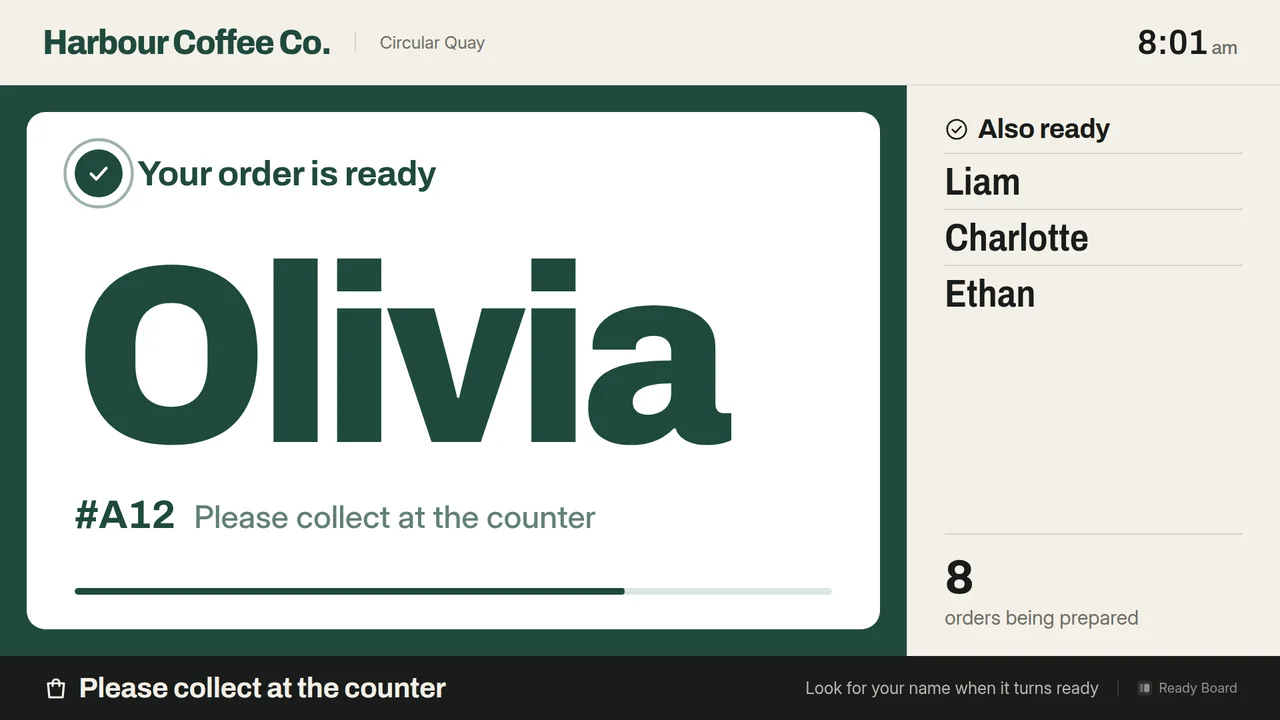
Updates itself
Mark an order ready in Square and the name appears. No extra tablet, no tapping twice.
Readable across the room
Names and numbers set big enough to read from 5 m (16 ft) on any smart TV.
Your brand, not ours
Your logo and colour, light or dark. Call guests by name or by number.
per month 14 days free, no card needed. A$290 a year if you pay yearly. Cancel anytime.
A Square pickup display that runs itself
Connect your Square account once. From then on, every order your team marks ready on the Square KDS, Square Point of Sale or Square for Restaurants shows up on the TV, with a chime if you want one.
Read-only, by design: we ask Square for permission to read orders and your location names. Nothing more.
Ready Board can
- See when an order is ready
- Read the guest’s first name and order number
- Read your location names and time zone
Ready Board can never
- Charge, refund or change orders
- See card numbers, phones or e-mails
- Message your customers
Up and running in about 10 minutes
- 1
Connect Square
Sign in with your e-mail and connect your Square account, or choose “Any POS” to use manual mode.
- 2
Pair the TV
Open readyboardapp.com/tv on the TV. Type the 4-character code it shows on your phone, or scan the QR code.
- 3
Mark orders ready
Keep working as usual. When an order is ready, the guest’s name moves to the Ready column and gets called.
Three themes, your colour
Pick a surface, add your brand colour and logo. Text contrast is checked automatically, so names stay readable whatever colour you choose.
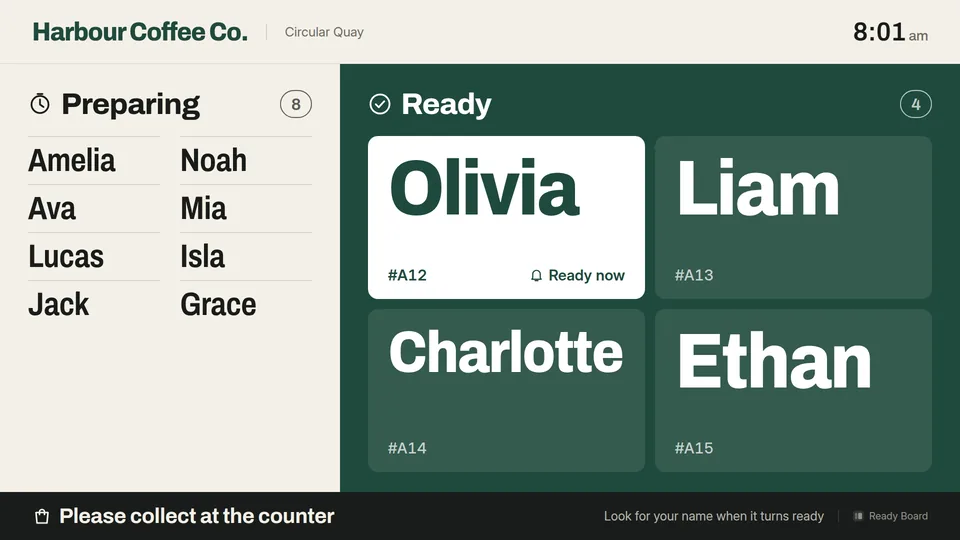
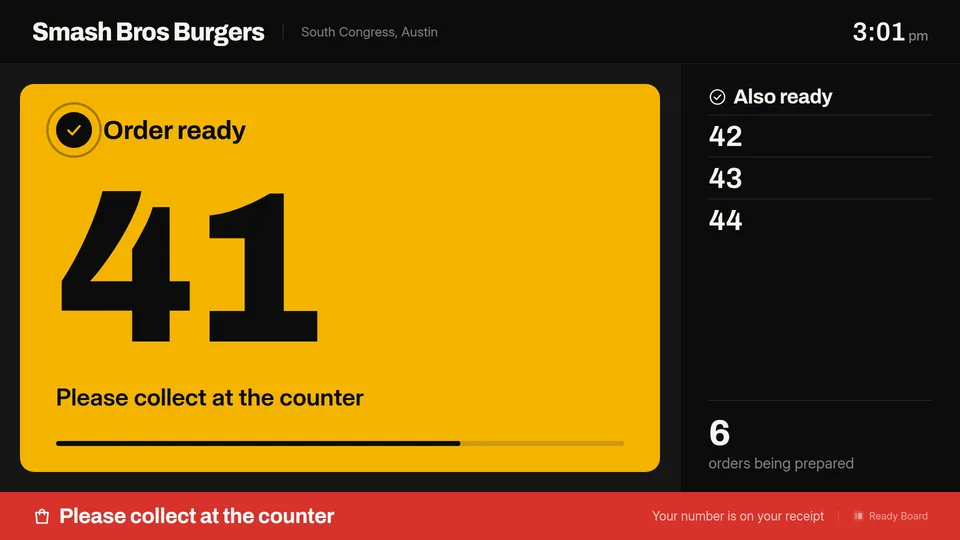
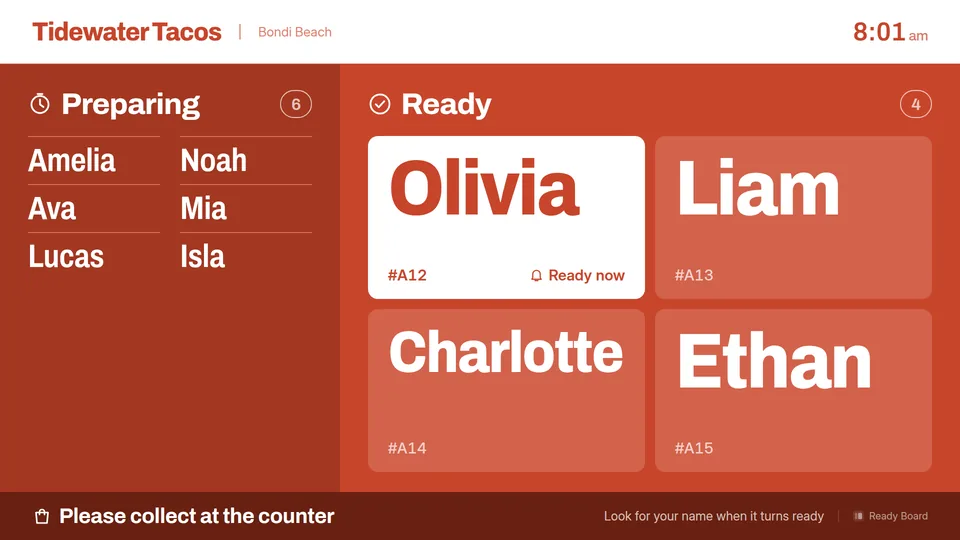
An order ready screen that works with any POS
Not on Square? Use manual mode. Your team types a name or number on any phone, taps Ready now, and the TV calls it. No install, no app store: the phone opens a private link from your dashboard.
- Works next to any till, cash register or POS
- “Call again” and “Collected” in one tap
- Revoke a phone anytime from the dashboard
One plan. Priced per location.
Everything included, no setup fee, no contract. Try it free for 14 days without a card, then subscribe only if your guests love it.
- Billed per locationAdd or remove a location anytime. Your subscription adjusts and the difference is prorated.
- Proper invoicesPaddle, our reseller, issues the invoices and handles VAT, GST and sales tax. Add your VAT number or ABN at checkout.
- Pay your wayCards and PayPal, plus Apple Pay and Google Pay where available.
- No lock-inCancel from your dashboard. Full refund within 14 days of any payment.
per month
or A$290 per location per year (2 months free)
- 14 days free, no card needed
- Square sync or manual mode
- Up to 3 screens per location
- All themes, your logo and colour
- Cancel anytime, 14-day refunds
Prices in AUD. Local VAT, GST or sales tax is added at checkout where it applies.
Questions, answered
What hardware do I need?
Any TV with a web browser, or a cheap streaming stick (Fire TV, Chromecast with Google TV, Android TV box) plugged into it. Open readyboardapp.com/tv on the TV once, type the code on your phone, and it stays signed in.
Does it work with the Square KDS?
Yes. When an order is bumped on the Square KDS, or its pickup fulfilment is marked ready in Square Point of Sale or Square for Restaurants, the guest's first name (or order number) appears on the TV, usually within two seconds.
My POS isn't Square. Can I still use it?
Yes. In manual mode your team types a name or number on any phone and taps Ready. It works next to any till, cash register or POS. Square is the only direct integration today.
What happens when the 14-day trial ends?
Nothing is charged unless you subscribe. Without a subscription the screen shows a paused message. We e-mail you 2 days before the end of the trial.
Can it see my customers' details?
It reads orders and location names only. The TV shows a first name or an order number, never surnames, phone numbers, e-mails, items or prices. Order data is deleted after 24 hours.
How does billing work with several locations?
The price is per location, and each location can run up to 3 screens. Add a location and your subscription quantity updates. Taxes are calculated at checkout by Paddle, our reseller.
Can I cancel or get a refund?
Cancel anytime from your dashboard; the screen keeps working until the end of the paid period. If you're not happy, ask for a full refund within 14 days of a payment. No questions asked. Monthly plans start at $19.
What if the Wi-Fi drops?
The screen keeps the last orders on display, shows a small "reconnecting" badge, and catches up by itself when the connection is back. Orders marked ready meanwhile are not lost.
Something else? Write to support@readyboardapp.com. A person answers, usually the same day.